
When you run into an issue on KCEX or something just isn’t adding up, knowing where to turn for help makes all the difference. In this guide, I’ll walk you through every way to contact KCEX customer support — live chat hours, email addresses, social media channels, and what to do when nothing seems to work. All sources here are from official KCEX pages and App Store listings, so you can trust them.
Quick heads up: KCEX live chat isn’t running 24/7. During maintenance or busy periods, response times can drag. I’ll also show you alternative channels and the fastest routes to get answers.
KCEX Contact Channels – At a Glance
Here’s a quick table of all the official ways to reach KCEX:
| Contact Method | Details / Address | Best For |
|---|---|---|
| Live Chat | Bottom right corner on website / “Help” section in mobile app | General questions, account issues, transaction help |
| Email Support | support@kcex.com | Complex problems, cases needing evidence, account deletion requests |
| Official Website | https://www.kcex.com | Announcements, live chat access, registration |
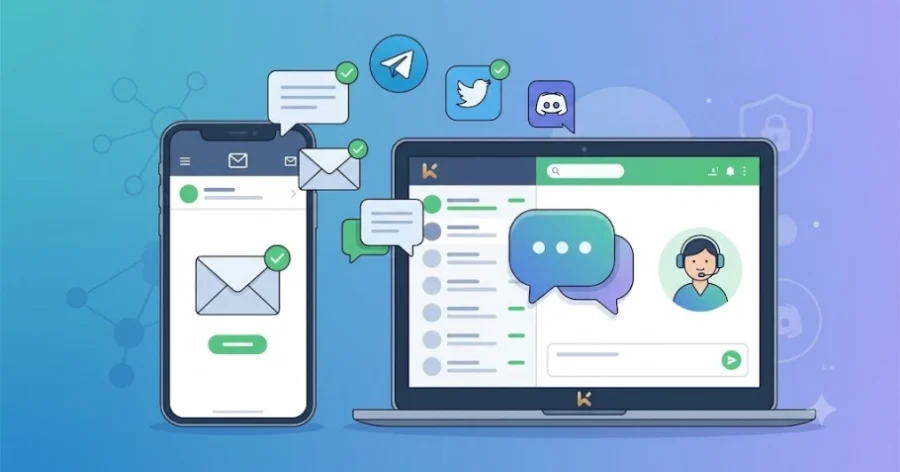
| Community Channels | Telegram | Twitter | Medium | Discord | Announcements, community discussions, updates |
Live Chat – The Fastest Way to Get Help
KCEX’s live chat is their quickest support channel. Here’s how to find it:
On Web Browser: When you open KCEX’s official website (www.kcex.com), look at the bottom right corner of the screen. You’ll see a chat bubble icon. Click it, and you can start messaging support right away.
On Mobile App: If you’re using the mobile app, head to your profile section or look for the “Help” tab. There’s usually a button there that connects you to live chat. Tap anything that says “Support” or “Chat.”
Live chat hours: KCEX occasionally takes live chat offline for scheduled maintenance. For example, on October 7, 2024, they paused live chat between 10:00 and 12:00 (Vietnam time). During those windows, email is your best option.
Email Support – support@kcex.com
KCEX’s official support email is support@kcex.com. This address has been confirmed multiple times on their App Store pages and official announcements.
Tips for getting a faster response:
- Write a clear subject line: Something like “KYC Verification Issue – User ID: xxxxx”
- Include your User ID: This helps support identify your account faster
- Add screenshots if possible: Visual evidence speeds things up significantly
- Write in English for quicker replies: KCEX is an international platform, and English support tends to respond faster
KCEX aims to respond to email requests as quickly as possible. When live chat is down (maintenance, off-hours), email becomes your most reliable option.
Community Channels – Telegram, Twitter, Discord, Medium
KCEX runs official accounts on Telegram, Twitter, Medium, and Discord. Through these channels, you can:
- Track new listing announcements
- Stay updated on system maintenance and upgrades
- Join community discussions
- Occasionally get responses from official support teams
Security warning: Never share your private keys, passwords, or seed phrases with anyone claiming to be “KCEX support” on Telegram or Discord. The real support team will never ask for this information.
Which Contact Method Should You Use for Different Problems?
Picking the right channel for your specific issue saves you time:
- KYC Verification Issues
- Best channel: Live Chat or support@kcex.com
What to do: If your KYC was rejected or is taking too long, try live chat first. If no reply, send an email with your documents attached.
- Best channel: Live Chat or support@kcex.com
- Deposit / Withdrawal Problems
- Best channel: Live Chat
- What to do: If a transaction is stuck, message live chat with your TxID. If you made a network error (wrong chain), contact live chat immediately.
- Account Deletion Requests
- Best channel: support@kcex.com
- What to do: Account deletion requires identity verification, so email is safer. Include your User ID and registered email address in the request.
- Password or 2FA Issues
- Best channel: Live Chat
- What to do: Contact live chat first. They’ll guide you through identity verification. In some cases, they may ask for additional documents via email.
- Technical Errors / Transactions Not Going Through
- Best channel: Live Chat + Screenshots
- What to do: Message live chat with a screenshot of the error. Include the time it happened (and TxID if available) for faster resolution.
What to Do If Live Chat Isn’t Responding
Sometimes live chat just won’t connect. Here’s your action plan:
- Wait a bit: During peak hours, there might be a queue. Give it 5–10 minutes.
- Refresh the page: Connection glitches happen. Refresh and try again.
- Send an email immediately: Drop a detailed message to support@kcex.com with your issue clearly stated in the subject line.
- Check community channels: KCEX sometimes posts maintenance notices on Telegram or Twitter. You might find out the chat is down for a reason.
Pro tip: If you have an urgent issue and live chat is unavailable, send an email and also post on Telegram or Twitter mentioning the problem. Sometimes support monitors those channels too.
External resource: KCEX Official Website
Internal link: KCEX Fees – Is Zero Commission Real?
Frequently Asked Questions
On the KCEX website, click the chat bubble icon at the bottom right corner of the screen. On the mobile app, go to your profile or the ‘Help’ section and look for ‘Support’ or ‘Chat’. Live chat may be unavailable during scheduled maintenance.
KCEX’s official support email is support@kcex.com. This address is confirmed on their App Store pages and official announcements. Use email for complex issues, account deletion requests, or cases that need evidence.
The KCEX app interface has a Turkish language option, but it’s unclear if customer support replies in Turkish. For the fastest response, writing in English is recommended.
No, KCEX live chat is sometimes taken offline for planned maintenance. For example, on October 7, 2024, they paused live chat from 10:00 to 12:00 (Vietnam time). During maintenance windows, email support is your best option.
No, KCEX does not offer phone support. All customer service is handled through live chat and email.
Contact live chat immediately with your TxID (transaction ID) and explain the situation. Recovery is technically difficult, but KCEX’s team may be able to help. There’s no guarantee, so always double-check the network before sending.