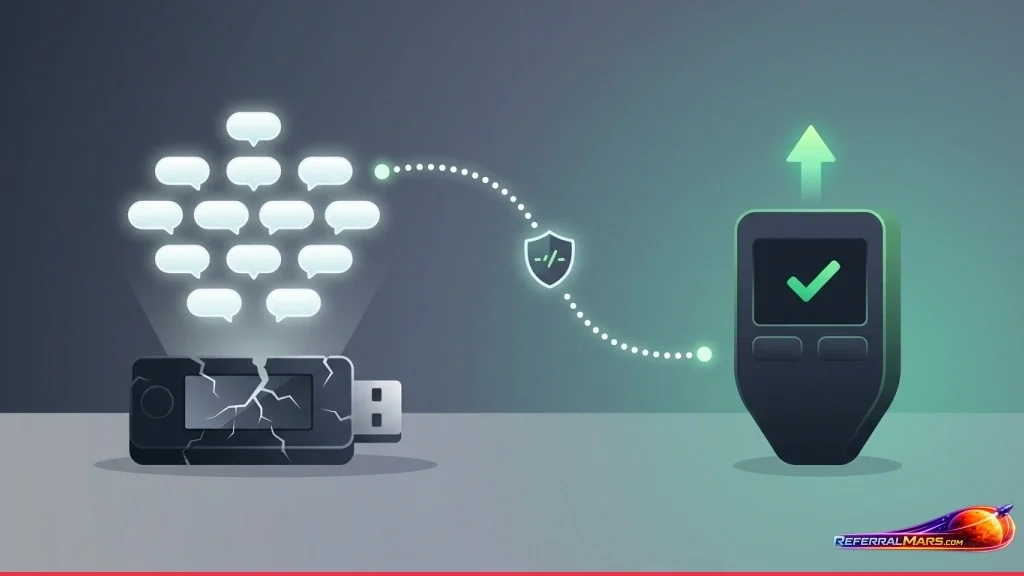
Your cold wallet dropped on the floor. It fell into water. It caught fire. Or the screen just died. Inside are years of savings — Bitcoin, Ethereum, and other cryptocurrencies. Don’t panic. When your cold wallet breaks, your coins are NOT lost. In this guide, I’ll walk you through exactly what to do, step by step, so you can recover access to your funds and prevent the same problem from happening again.
The short answer: A cold wallet is just a tool. Your coins don’t live inside the wallet — they live on the blockchain. As long as you have your recovery phrase (seed phrase), you can throw away the broken device and access your funds from a new one.
Quick Summary
- Your coins are not stored in the wallet. They’re on the blockchain. The cold wallet only holds your private keys.
- Your seed phrase is what saves you. With your 12 or 24‑word recovery phrase, you can access your funds from any compatible device.
- If your wallet breaks, what should you do? Buy a new hardware wallet or use a software wallet to recover your account with the seed phrase.
- Don’t have your seed phrase? Unfortunately, you’ll likely never access your coins again. That’s why seed phrase security is critical.
Does a Broken Cold Wallet Mean Lost Coins?
No — this is one of the biggest misconceptions. Cold wallets (Ledger, Trezor, SafePal, etc.) do not physically hold your coins. Your coins always live on the blockchain. The cold wallet is just a secure tool that stores your private keys — the keys that prove you own those coins.
Here’s an analogy: A cold wallet is like the key to a safety deposit box. The box (the blockchain) holds your valuables (your coins). Even if you lose or break the key (the wallet), the valuables inside the box are still there. All you need is a spare key (your seed phrase).
What Is a Seed Phrase and Why Is It So Important?
Your seed phrase is a list of 12 or 24 words that your cold wallet gave you when you first set it up. Those words are the master key to all your private keys — and therefore to all your coins.
Why your seed phrase matters so much:
- If your wallet breaks, gets lost, or gets stolen, those words let you recover everything on a new device.
- Any compatible wallet (hardware or software) will accept those words and restore your entire account.
- Without the seed phrase, data recovery from a broken device is nearly impossible.
Critical warning: Never store your seed phrase digitally. Don’t take photos of it. Don’t upload it to the cloud. Don’t save it in a notepad file. Only keep physical copies — write it on paper or engrave it on metal, and store multiple copies in safe, separate locations.
What to Do When Your Cold Wallet Breaks – Step by Step
The steps you take depend entirely on whether you still have your seed phrase.
Case 1 – You Have Your Seed Phrase (Safe and Sound)
This is the best case scenario. You haven’t lost anything. Just follow these steps:
- Get a new hardware wallet or download a software wallet
- Buy a new device from a trusted brand like Ledger, Trezor, or SafePal. For immediate access, you can also use a software wallet like MetaMask, Trust Wallet, or Electrum.
- Choose “Restore” or “Recover” during setup
- Instead of creating a new wallet, select “Restore existing wallet” or “Recover wallet.”
- Enter your seed phrase
- Carefully type in your 12 or 24 words in the correct order. Lowercase/uppercase doesn’t matter.
- Your coins will reappear
- Within minutes, all your funds and transaction history will be visible. Your old wallet can be discarded safely.
Case 2 – You Don’t Have Your Seed Phrase (or You Lost It)
This situation is much harder. Without your seed phrase, recovering data from a broken device is technically nearly impossible.
- Research professional data recovery services
- Some firms offer data recovery from physically damaged devices. Reach out to the official support channels of Ledger, Trezor, or whichever brand you use. These services are expensive, and success is not guaranteed.
- Never trust third‑party “recovery” scammers
- Most services online that claim to recover lost seed phrases are scams. Never share your private keys with anyone.
The hard truth: If you lose your seed phrase and your device is completely broken, you will almost certainly never access your funds again. This is the single biggest responsibility that comes with using a cold wallet.
What to Do for Different Cold Wallet Brands
All cold wallets work on the same principle: recovery through your seed phrase. Here’s a quick comparison:
| Brand | Restore Method | Backup Options | Physical Recovery Possible? |
|---|---|---|---|
| Ledger | Restore via Ledger Live with seed phrase | Paper backup, metal plate, Ledger Recover (paid) | Very low — Secure Element chip protection |
| Trezor | Restore via Trezor Suite with seed phrase | Paper backup, metal plate, Shamir Backup | Low — open source hardware |
| SafePal | Restore via SafePal app with seed phrase | Paper backup, metal plate | Medium — air‑gapped design |
| Keystone | Restore via Keystone app with seed phrase | Paper backup, metal plate, SD card backup | Medium — fully air‑gapped |
Different Damage Scenarios – What to Do
Screen Is Broken but the Device Still Works
If the screen is broken but the device powers on, you still can’t approve transactions without seeing what you’re signing. If you have your seed phrase, simply move to a new device. Don’t try to keep using the broken one.
Water Damage or Physical Damage
After water damage, turn the device off immediately. Try drying it with rice or silica gel, but chances are low. If you have your seed phrase, get a new wallet. If not, look into professional data recovery — but expect low success rates.
Wallet Lost or Stolen
Don’t panic. If you have your seed phrase, buy a new hardware wallet or use a software wallet to restore your funds immediately. Without your PIN, a thief cannot access your device. Still, moving your funds to a new wallet is the safest move.
Forgot Your PIN and the Device Is Broken
In this case, the device itself cannot be recovered. But your seed phrase is independent of your PIN. As long as you have your seed phrase, you can restore everything on a new device.
How to Prevent the Same Problem in the Future
Taking these precautions now can save you from disaster later:
- Store your seed phrase in multiple physical locations. Home safe, bank safe deposit box, or a trusted relative. Use fire‑ and water‑resistant metal plates.
- Get a backup hardware wallet. Set up a second device with the same seed phrase. If one breaks, the other takes over instantly.
- Set up a trusted software wallet as an emergency backup. In urgent situations (like a broken device while waiting for a replacement), use a software wallet with your seed phrase.
- Inspect your device regularly. Watch for swollen batteries, screen issues, or other physical damage early.
- Test your recovery process. Send a small amount of crypto, then wipe your wallet and restore it from your seed phrase. Confirm the words work.
Conclusion
If you’ve taken the right precautions, a broken cold wallet isn’t a disaster. Your coins are not stored inside the wallet — they’re on the blockchain. As long as you have your recovery phrase (seed phrase), you can throw away the broken device and access everything from a new one.
But if you don’t have your seed phrase — or you lost it — the situation is much more serious. That’s why the biggest responsibility of using a cold wallet is storing your seed phrase safely and accessibly. Make multiple physical copies, use metal plates, and leave a backup with someone you trust.
Remember: the cold wallet is just a tool. The real security is those 12 or 24 words in your hands. Protect them, and they’ll protect you.
Source: coinkolik.com
Frequently Asked Questions
Buy a new hardware wallet or download a software wallet. During setup, choose ‘Restore existing wallet’ and enter your seed phrase. Your coins and transaction history will reappear.
Unfortunately, you almost certainly cannot recover your coins. You can try professional data recovery services, but they’re expensive with no guarantee of success. This is why safe seed phrase storage is critical.
Remove it from water immediately, turn it off, and dry it with rice or silica gel. If you have your seed phrase, get a new wallet. If not, look into professional recovery — but don’t plug it in, as that may cause a short circuit.
Immediately buy a new hardware wallet or use a software wallet and restore your funds with your seed phrase. The thief cannot use your device without your PIN, but moving your funds to a new wallet is the safest option.
Yes. You can use the same seed phrase on multiple hardware wallets and software wallets. All devices will show the same accounts and balances — ideal for backup purposes.
No. Without a working screen, you can’t see or confirm transaction details. If you have your seed phrase, move to a new device. If you don’t, you may try getting the screen repaired, but that risks exposing your seed phrase.